Personal Project · 2026
Project Starter
Eliminating the "Copy-Paste" Project Setup Workflow — a locally-hosted scaffold engine that spins up new client projects from custom templates in seconds, with TinaCMS pre-configured and ready to connect.
Role
Product Designer & Full-Stack Developer
Year
2026
Stack
Node.js · Express · Vanilla HTML/CSS/JS · fs-extra
Overview
Executive Summary
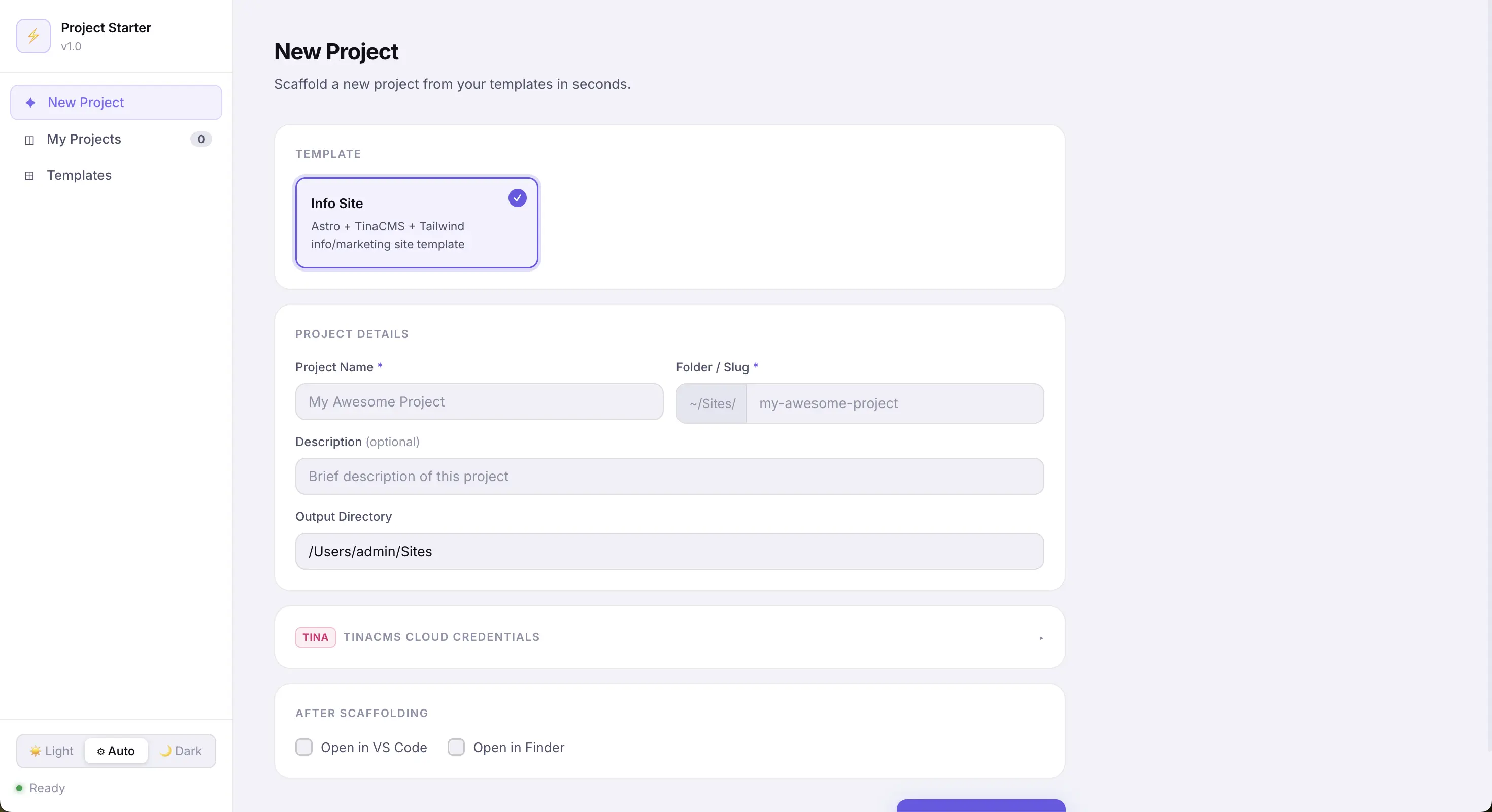
Project Starter is a locally-hosted web dashboard built to eliminate the repetitive, error-prone process of setting up new client projects from a template. By combining a visual form interface with a smart scaffold engine, it handles folder copying, global string replacement, .env generation, npm install, and git init — all in one click.
The Challenge
The Copy-Paste Setup Tax
Every new project used to start the same way — a 7-step manual ritual that took 5–15 minutes and introduced small inconsistencies every single time.
- Open Finder, locate the template folder, duplicate it and rename.
- Manually hunt through package.json and config files to replace template strings.
- Copy .env.example to .env and fill in credentials — then forget a field.
- Run npm install in the terminal. Remember to git init — or forget.
- Open VS Code, navigate to the project, and finally start building.
"Setup Tax" — a hidden cost paid at the start of every client engagement, compounding across dozens of projects per year.
The Solution
A One-Click Scaffold Engine
Project Starter replaces the entire manual flow with a premium local dashboard. Fill in a form, click Create Project, and the engine handles everything — leaving a consistent, clean foundation every time.
Template Library
Register any local folder as a reusable template — project types available instantly from the dashboard.
Smart String Replacement
Recursively replaces template name strings across all files and filenames in a single deep-copy pass.
TinaCMS .env Generator
Reads .env.example from the template, injects Tina Cloud credentials if provided, and writes a ready .env file.
Auto Slug
Project slug auto-generates from the project name as you type — no manual entry required.
Post-Setup Actions
Runs npm install and git init automatically. Opens the project in VS Code or Finder on completion.
Project Registry
Logs every created project with its path, template, and date — quick re-access from the My Projects tab.
Design
Key Design Decisions
Deep Recursive Scaffold Engine
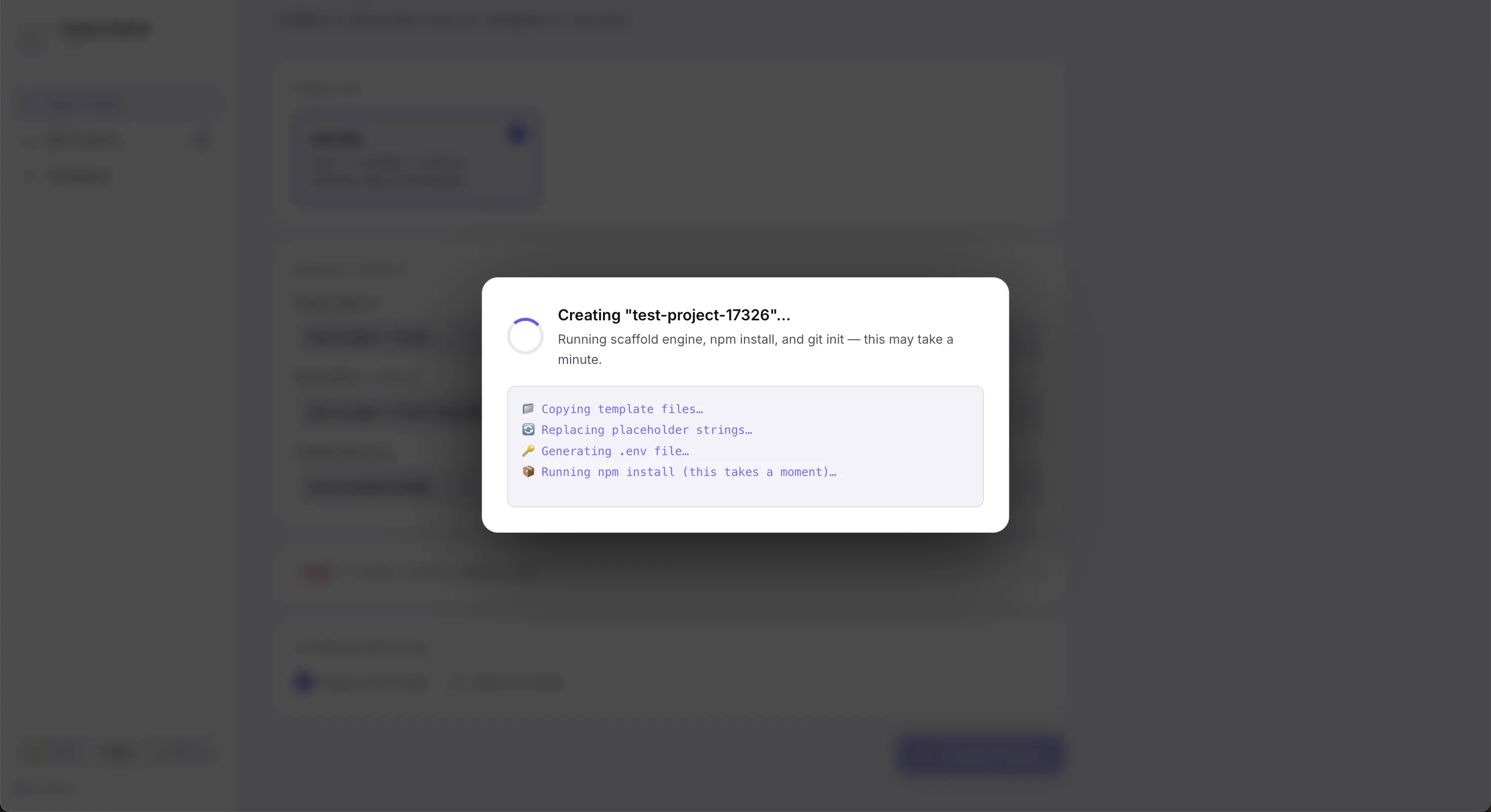
The heart of the tool performs a deep recursive copy of the template directory, skipping noise like node_modules, .git, and tina/__generated__. Every text file is read and passed through the replacement engine — swapping template identifiers for the new project slug in a single pass, including inside filenames themselves.
TinaCMS Ready Out of the Box
During scaffolding, Project Starter generates a .env with any Tina Cloud credentials provided in the form. If left blank, the project still runs locally without modification. Connecting to Tina Cloud later is as simple as filling in two values.
Project Registry
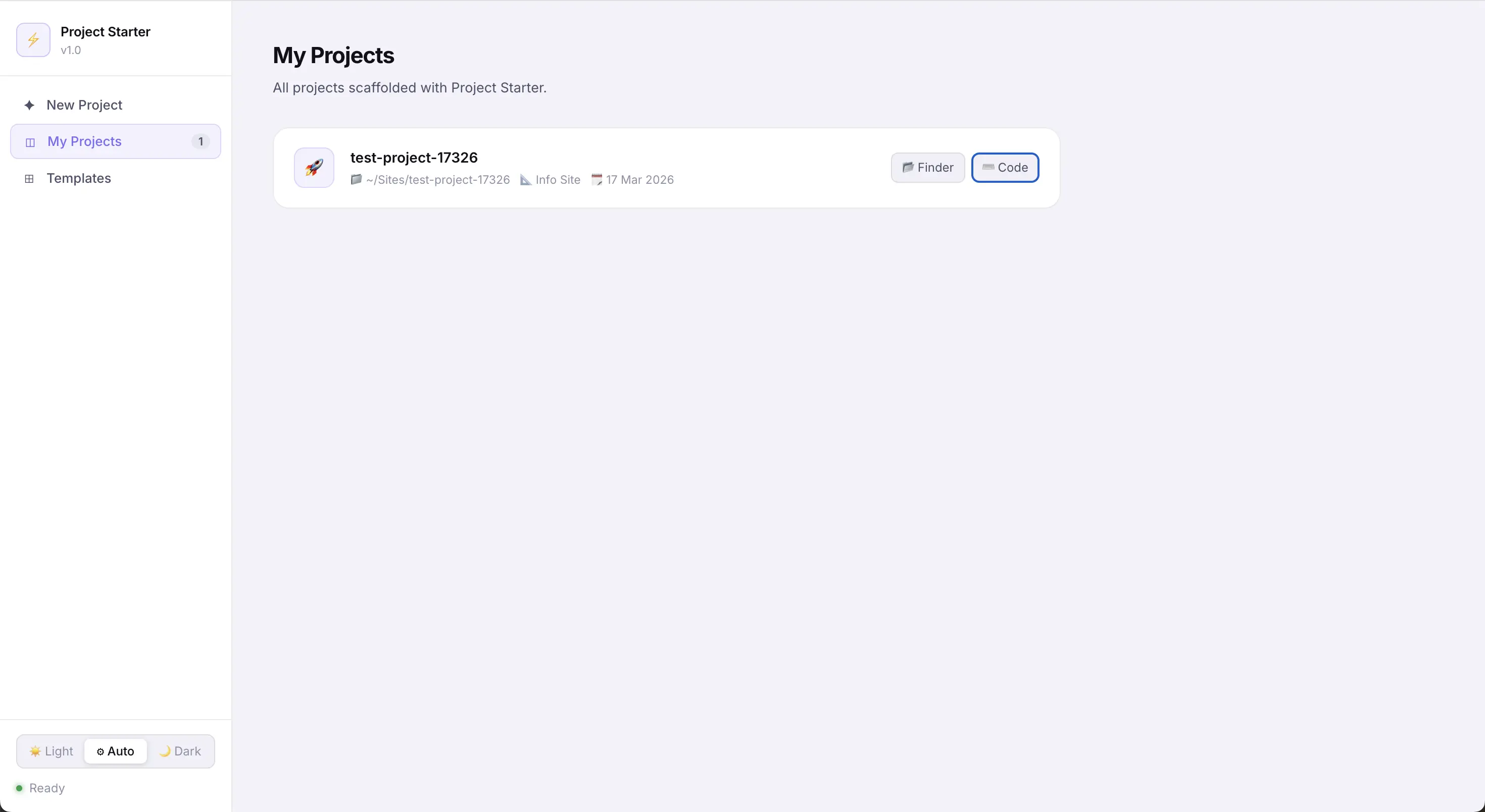
Every scaffolded project is recorded in a local .project-registry.json. The My Projects tab displays all past projects with quick actions to open in Finder or VS Code — making it easy to jump back into any client site without hunting through the filesystem.
Light / Dark / Auto Theme
The dashboard supports full light mode, dark mode, and auto system preference detection — stored in localStorage so the preference persists across sessions.
Engineering
Technical Architecture
A lightweight local tool with no cloud dependencies — it runs entirely on your machine with zero ongoing cost or latency.
Backend
Node.js + Express
REST API · scaffold.js
Frontend
HTML + CSS + JS
No build step · instant load
Config
JSON on disk
Portable · no database
Browser Dashboard  ── POST /api/create ──▶  Express Server
                                         │
                                         ▼
                               scaffold.js
                                         │
                       ┌─────────────────┼─────────────────┐
                       ▼                 ▼                 ▼
              Copy Template    String Replace    Generate .env
                                                           │
                                            ┌──────────────┤
                                            ▼              ▼
                                     npm install    git init
                                            │
                                            ▼
                                  Write Project Registry
Impact
The Result
Project Starter compresses a 5–15 minute manual setup into a ~2 minute automated flow (mostly waiting for npm install). Every project now starts from a consistent, clean foundation.
- 5–15 minutes saved per project setup — no more manual copy-paste ritual.
- Zero stray template names left in config files — the replacement engine is exhaustive and recursive.
- TinaCMS-ready from the first run — each project is CMS-connected or one step from connection.
- Extensible — new templates can be registered in seconds via the Templates tab.
💡 Pro Tip: Leave npm start running in the background alongside Launch Local. Between the two dashboards, you have a complete local dev command centre — one to scaffold, one to launch.
Last updated · June 2026